
TLauncher Alternatives are other launchers that can start and manage Minecraft. In addition, each launcher has its own tools and design. Some focus on mods, while others focus on game profiles, performance, or multiplayer. Meanwhile, the official Minecraft Launcher is also an option. Ultimately, your needs should guide your choice. In this guide, we explain popular Minecraft launchers and the main features they offer.
What Are TLauncher Alternatives?
TLauncher Alternatives are other programs used to manage or start Minecraft. For example, they can support different game versions, mods, profiles, and settings. While some launchers are made for modded Minecraft, others offer a simple way to start the game. Before installing one, check its supported system, Minecraft edition, account options, and features.
For a complete overview of the launcher and its features, see our TLauncher guide.
Why Use a Minecraft Launcher Alternative?
Players may want another launcher for many reasons. Some want better mod tools. Others want separate game profiles. Some users prefer the official Minecraft software. A player may also need a launcher that works well with large modpacks. Your choice depends on how you use Minecraft. There is no need to use the same launcher for every setup.
Official Minecraft Launcher
The official Minecraft Launcher is part of the official Minecraft software system. It gives players access to supported Minecraft versions and account services. It can be a simple choice for users who want the standard Minecraft setup. Check the current system requirements before installing it. You should also make sure your Minecraft account meets the required conditions.
If you are looking for launcher installation information, see our TLauncher Download guide.
Prism Launcher
Prism Launcher focuses on separate Minecraft instances. Each instance can have its own game version, mods, settings, and files. This can help keep different setups apart. For example, you can have one instance for vanilla Minecraft and another for mods. This can also make testing easier. Check the current launcher requirements before using it.
MultiMC
MultiMC is built around separate Minecraft instances. As a result, each instance can have its own settings and files. This approach makes it easier to manage different game setups. For example, one instance can use an older Minecraft version. Another can use a newer version with mods. Before using the launcher, check its current support and account requirements.
Lunar Client
Lunar Client is a Minecraft client with extra gameplay and performance features. In particular, it is often used for multiplayer gameplay. As a result, the client changes parts of the normal Minecraft experience. It may also provide extra settings and tools. Check the supported Minecraft versions before installing it. Your computer should also meet its current system requirements.
GDLauncher
GDLauncher provides tools for Minecraft instances and modpacks. It can help users manage different modded setups. Each setup can stay separate from the others. This can reduce file conflicts. It can also make large modpacks easier to manage. Check the current software requirements before installing the launcher.
Minecraft Launcher Comparison
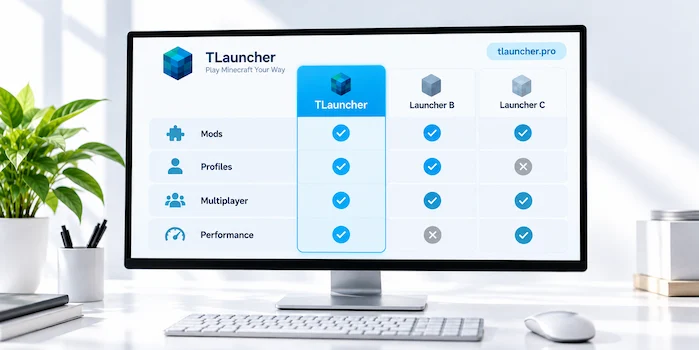
Different launchers serve different needs. The official launcher focuses on standard Minecraft access. Instance launchers focus on separate game setups. Some clients add multiplayer tools. Others focus on mods and modpacks. Think about the features you need before choosing one. Also check your operating system and Minecraft edition.
TLauncher Alternatives for Modding
Players who use many mods may need good profile tools. Separate instances can help keep mods apart. Each profile can use its own Minecraft version and loader. This reduces conflicts between different setups. Remember that a launcher cannot fix an incompatible mod. The Minecraft version, loader, and mod must still match.
TLauncher Alternatives for Modpacks
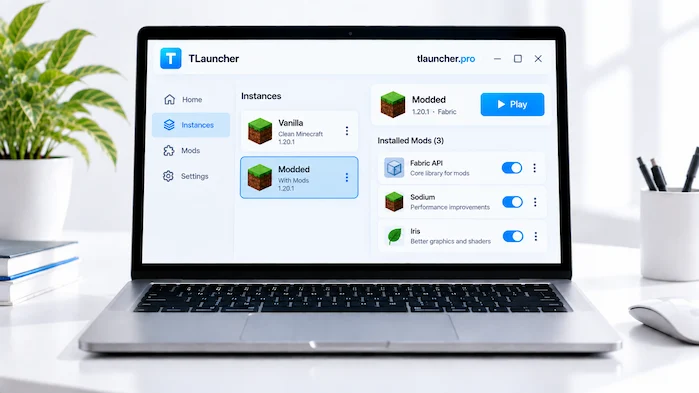
Large modpacks can contain many files. They may also need extra memory and specific loaders. A launcher with modpack tools can make these files easier to manage. Keep each pack in its own setup when possible. Do not mix files from different packs. Check the pack requirements before you start it.
TLauncher Alternatives for Different Minecraft Versions
Some players use more than one Minecraft version. One world may need an older version. Another world may use a newer one. Separate profiles can make this easier. Each profile can have its own game files and settings. Always back up important worlds before changing their Minecraft version.
TLauncher Alternatives for Multiplayer
Multiplayer servers can have different requirements. One server may support a normal Minecraft setup. Another may need specific mods. Some servers also require a certain game version. A launcher with separate profiles can help you manage these setups. Check the server requirements before joining. Your launcher cannot remove server restrictions.
TLauncher Alternatives for Performance
Some Minecraft clients focus on performance. They may include extra graphics settings or optimization tools. However, your launcher is only one part of game performance. Your RAM, processor, graphics hardware, and Minecraft settings also matter. Check the software requirements before installation. Start with simple settings if your computer has limited resources.
TLauncher Alternatives for Windows
Windows supports many Minecraft launcher options. Your choice depends on the features you need. Some launchers focus on standard Minecraft access. Others focus on mods or separate profiles. Check the supported Windows version before installing one. Use a source you can verify. Keep your security software active during installation.
For mobile Minecraft launcher information, see our TLauncher Android guide.
TLauncher Alternatives for Mac
Mac users should check macOS support before installing a launcher. A Windows installer will not work as a normal Mac app. Some launchers support both Windows and Mac. Others may support only one platform. Check the system requirements first. Java can also matter when using Minecraft Java Edition.
TLauncher Alternatives and Java
Java can affect Minecraft Java Edition. Different Minecraft versions may need different Java versions. Some launchers can manage the Java version for a game profile. If Minecraft does not start, check the Java setup. Do not install Java files from unknown websites. Use a trusted source and follow the requirements of your Minecraft version.
TLauncher Alternatives and Mods
A different launcher does not make every mod compatible. Mods still need the correct Minecraft version. They may also need Forge, Fabric, or another loader. Some mods need extra files called dependencies. Check all these requirements before adding a mod. Keep large mod setups in separate profiles to reduce conflicts.
TLauncher Alternatives and Accounts
Account support can differ between launchers. Some connect to official Minecraft account services. Others may have different login options. Check the account requirements before choosing a launcher. Never enter your password into an unknown website. Use the correct login system for the service. Keep your account information private.
TLauncher Alternatives and Security
Security matters when installing any launcher. Download the software from a source you can verify. Avoid modified installers and unknown repacks. Keep your operating system updated. Your security software should also stay active. If a file shows a serious warning, stop the installation. Check the file before you continue.
How to Choose a Minecraft Launcher
Start by deciding what you need. Do you want the standard Minecraft setup? Do you use many mods? Are separate profiles required? Do you play on multiplayer servers? These questions can help narrow your options. You should also check your operating system, Minecraft edition, account needs, and computer hardware.
TLauncher Alternative for Beginners
Beginners may prefer a simple launcher. A clean interface can make the first setup easier. Too many options can cause confusion. Start with a basic Minecraft profile. Test the game before adding mods or large packs. This makes problems easier to find. Read the launcher instructions before changing advanced settings.
TLauncher Alternative for Modded Minecraft
Modded Minecraft needs more setup than a basic game. You may need a mod loader and extra files. Some mods also need dependencies. A launcher with separate profiles can help keep these files organized. Create a new profile for each major setup. This makes it easier to test mods without changing another game profile.
TLauncher Alternative for Older Minecraft Versions
Older Minecraft versions may have different requirements. They can need an older Java version or specific mods. Use a separate profile for an older release. Keep it away from your newer setup. This can reduce file conflicts. Always back up important worlds before moving them between versions.
Common Problems With Minecraft Launcher Alternatives
Launcher problems can include failed installs, login errors, Java errors, crashes, and version problems. Mod conflicts can also cause crashes. Start with the launcher requirements. Then check the Minecraft version and Java setup. If you use mods, remove the newest one and test again. Change one thing at a time. This makes the problem easier to find.
Frequently Asked Questions
What are TLauncher Alternatives?
TLauncher Alternatives are other Minecraft launchers. They can provide tools for game versions, mods, profiles, multiplayer, or standard Minecraft access.
What is the official Minecraft Launcher?
The official Minecraft Launcher is part of the official Minecraft software system. It provides access to supported Minecraft versions and account services.
What is Prism Launcher?
Prism Launcher is a Minecraft launcher based on separate game instances. Each instance can have its own version, settings, and mods.
What is MultiMC?
MultiMC is a Minecraft launcher that uses separate game instances. This helps users keep different Minecraft setups apart.
What is Lunar Client?
Lunar Client is a Minecraft client with extra gameplay and performance features. It is also used for multiplayer gameplay.
What is GDLauncher?
GDLauncher is a Minecraft launcher with tools for game instances and modpacks. It can help users manage different modded setups.
Which launcher is best for mods?
Different launchers offer different mod tools. Check their instance features, mod loader support, and version support before choosing one.
Can launcher alternatives use Minecraft mods?
Many launchers can use compatible Minecraft mods. The game version, loader, mod, and dependencies must match.
Can I use different Minecraft versions?
Yes. Some launchers let you create separate profiles or instances. Each profile can use a different Minecraft version.
Are Minecraft launcher alternatives safe?
Safety depends on the software and its source. Use a source you can verify. Avoid modified or unknown installers.
Conclusion
TLauncher Alternatives give Minecraft players more launcher options. Some focus on official game access. Others focus on mods, modpacks, profiles, or multiplayer. The right choice depends on your needs. Check the Minecraft edition, operating system, account system, and hardware before installing a launcher. Separate profiles can also help keep different game setups organized. Always download software from a source you can verify.